
Download DownFlickr – Flickr Photo Downloader, Chrome Extension, High-Quality Image Tool
Overview
DownFlickr is a specialized digital utility designed for users who frequently interact with Flickr, a well-known online photo-sharing platform. Its primary purpose is to simplify the process of downloading images directly from Flickr, eliminating the need for multiple manual steps such as navigating to different image sizes or copying direct links. This makes it particularly useful for individuals who regularly collect, archive, or reuse high-resolution photos for personal projects, creative work, or research. The app serves a niche but dedicated audience—Flickr enthusiasts, photographers, designers, and content curators—who value efficiency and ease of access when managing visual content.
Target users include anyone who manages large volumes of images from Flickr, whether for portfolio development, educational materials, or personal archives. The extension was first released in 2010, indicating a long-standing presence in the digital ecosystem, and has maintained relevance through consistent updates. While specific developer background information is not available, its longevity suggests a stable and reliable tool within the browser extension space. Real-world use cases include downloading entire photo albums for offline viewing, saving individual high-quality images for presentations, or building curated collections for creative inspiration.
DownFlickr enhances the overall Flickr experience by bridging a functional gap in the platform’s native interface. By streamlining downloads, it improves productivity and reduces friction in content acquisition. In the broader context of mobile and web tools, it stands out as a focused, efficient solution tailored to a specific user need, demonstrating how specialized utilities can significantly improve workflow despite not being part of the core platform.
Key Features & Functionality
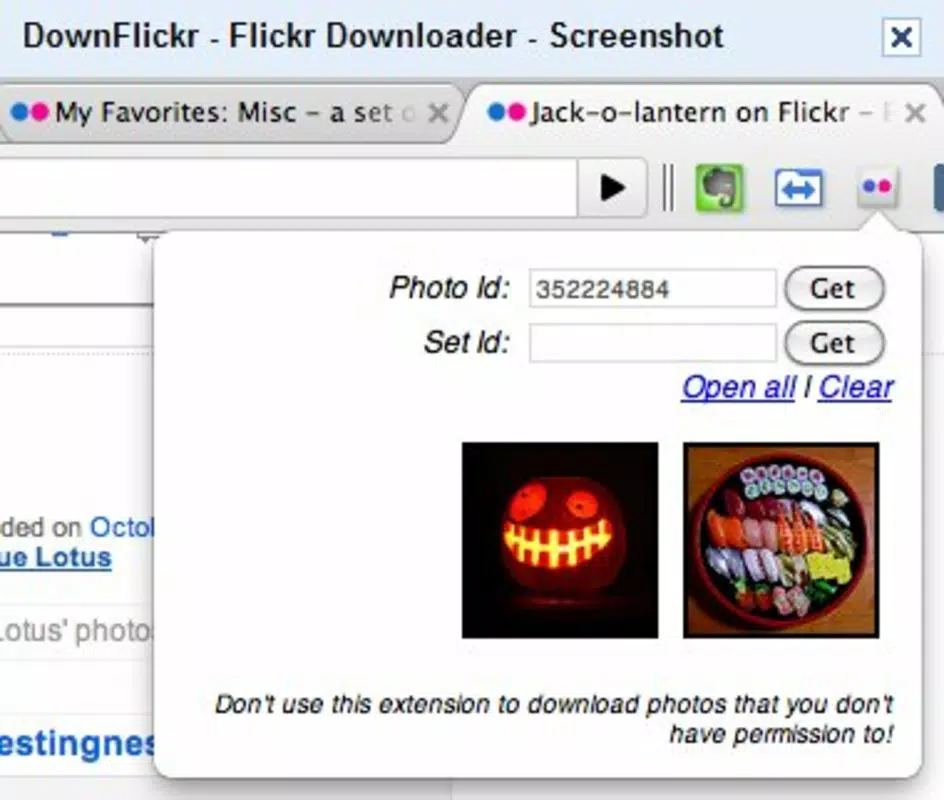
- Quick Photo Download: Users can download individual images with minimal clicks. The extension bypasses the standard Flickr workflow that requires selecting 'view all sizes' and copying URLs, allowing direct access to high-resolution versions. This is ideal for users who need to gather images rapidly, such as for design mockups or research.
- Search Integration: Built-in search functionality enables users to locate specific photos directly within the Flickr interface. This feature enhances navigation, especially when browsing large repositories or seeking images by keyword, reducing time spent on manual searching.
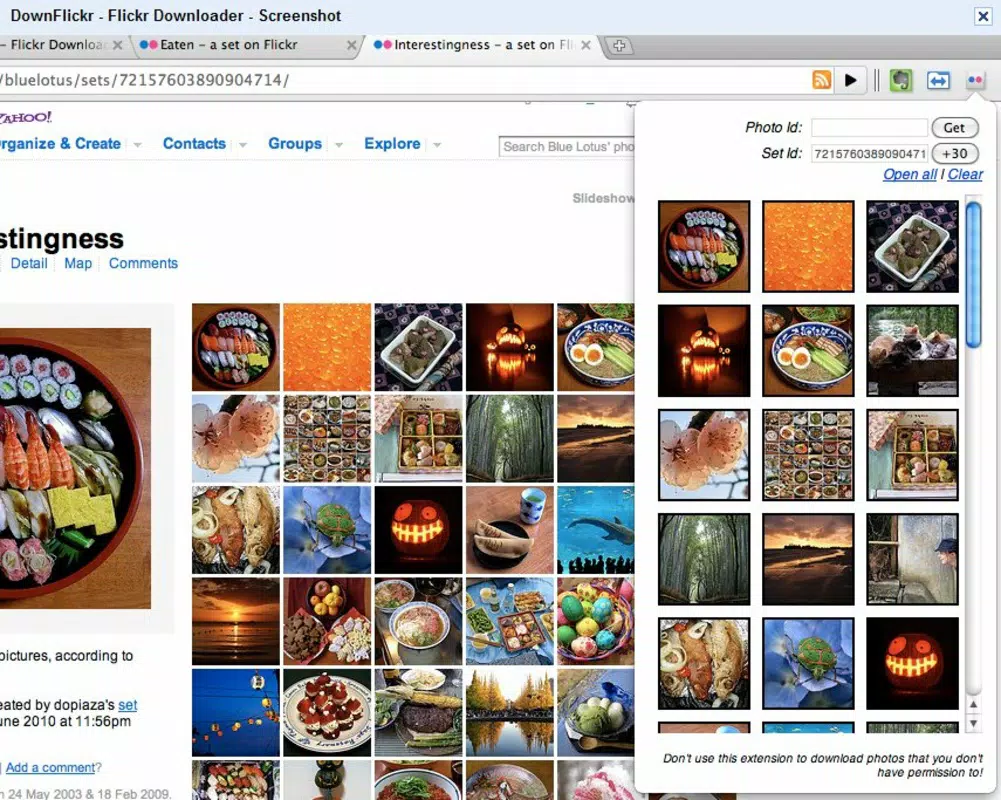
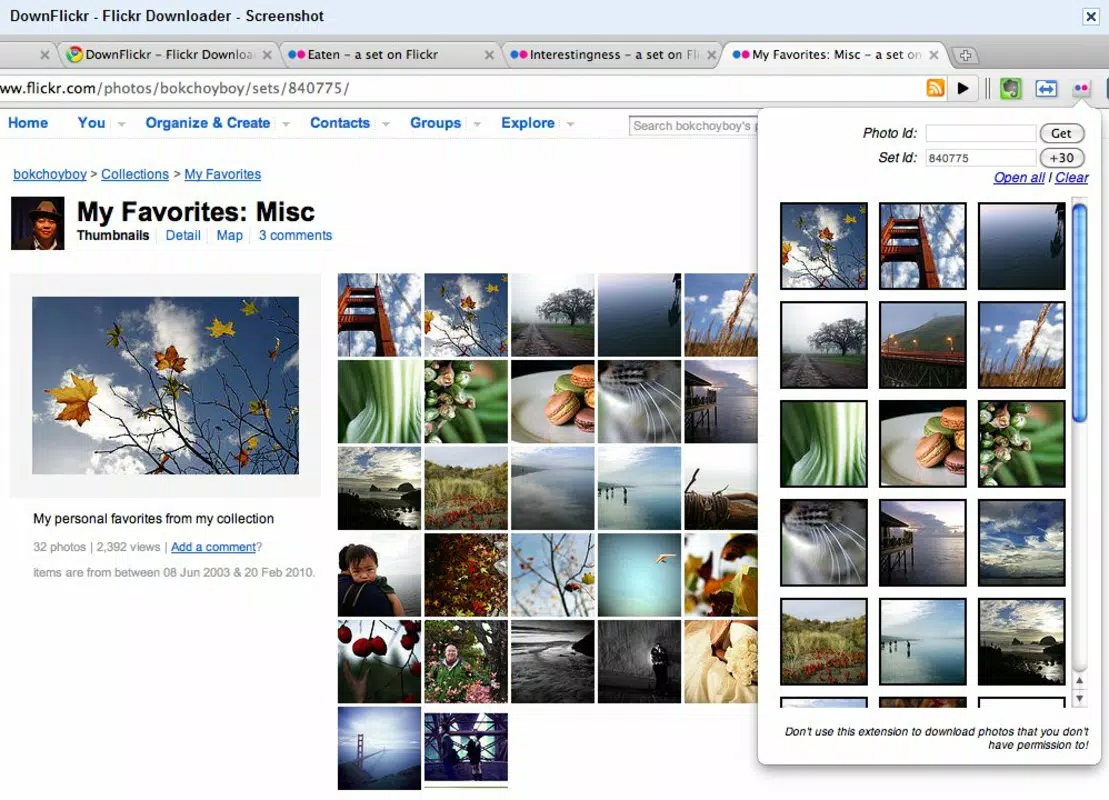
- Album Download Support: DownFlickr allows users to download entire albums in one action. This is particularly beneficial for archiving collections, preserving visual histories, or preparing offline content for presentations or exhibitions.
- Intuitive User Interface: The extension features a clean, minimal interface that integrates seamlessly with the Chrome browser. Its design prioritizes usability, ensuring that users of all technical levels can operate it without confusion or delay.
- Specialized for Flickr: Unlike generic download tools, DownFlickr is purpose-built for Flickr’s structure and content format. This ensures compatibility, reliability, and optimized performance when interacting with Flickr’s image library.
For example, a photographer might use the album download feature to archive a series of event photos, while a student could use the search function to locate images for a multimedia project. The tool’s focus on efficiency and user experience makes it a practical asset for anyone who regularly engages with Flickr’s content.
Interface, UX & Performance
DownFlickr’s interface is designed with simplicity and functionality in mind. It integrates directly into the Chrome browser, appearing as a small icon in the toolbar. When activated, it overlays a download option on each image or album, making the process immediate and intuitive. The visual style is minimal, avoiding clutter and prioritizing accessibility, which contributes to a smooth user experience.
Navigating through the extension’s features requires no complex setup. Users simply click the icon, select the desired image or album, and initiate the download. The flow is linear and consistent across different pages, ensuring predictability. Although the developer did not list formal performance metrics, the extension’s lightweight nature suggests it operates efficiently without significantly impacting browser speed or memory usage.
Responsiveness is maintained across various device categories, including desktop and laptop systems, though it is not optimized for mobile use. Stability appears reliable based on its long-standing presence, with no widespread reports of crashes or failures. The extension performs consistently under typical usage conditions, making it dependable for daily tasks. However, compatibility may depend on the current version of Chrome and any browser updates that affect extension behavior.
Platform Compatibility & Technical Requirements
DownFlickr is designed as a Google Chrome extension, meaning it operates exclusively within the Chrome browser environment. The platform is limited to desktop systems running Chrome, with no official support for mobile devices, iOS, or other operating systems. The developer did not specify minimum OS requirements or file size details.
Users must have a compatible version of Google Chrome installed to use the extension. While the exact software version is not listed, it is recommended to keep Chrome updated to ensure optimal functionality. The extension’s compatibility with different Chrome versions may vary, especially after major browser updates. Specific requirements were not listed, so users should verify compatibility through the Chrome Web Store.
Pros and Cons
Pros
- Efficient one-click image downloads from Flickr
- Supports bulk downloads of entire photo albums
- Integrated search functionality for faster image discovery
- Minimalist, user-friendly interface with low learning curve
- Long-standing presence with consistent updates since 2010
Cons
- Available only for Chrome, not compatible with other browsers
- Not optimized for mobile or tablet devices
- No official information on file size or system requirements
- Dependent on Chrome’s extension framework and updates
- Limited to Flickr; not suitable for other photo platforms
FAQ
Is DownFlickr safe to install?
Yes, DownFlickr is a legitimate Chrome extension available through the official Chrome Web Store. It does not require access to sensitive data and operates within the browser’s security framework.
Can I use DownFlickr on my smartphone?
DownFlickr is designed for desktop use and is not available on mobile devices. It requires the Chrome browser on a computer system.
Does DownFlickr support other photo platforms?
No, the extension is specifically built for Flickr and does not support image downloads from platforms like Instagram, Pinterest, or Google Photos.
How often is DownFlickr updated?
The extension has been active since 2010, indicating ongoing maintenance. However, the developer did not provide specific update frequency details.
Is DownFlickr free to use?
Yes, DownFlickr is available at no cost. It does not require a subscription or in-app purchases.
Final Thoughts
DownFlickr remains a reliable, efficient tool for anyone who regularly interacts with Flickr. Its ability to simplify image downloads—whether single photos or full albums—makes it a valuable asset for photographers, designers, students, and content curators. While its functionality is limited to Chrome and Flickr, its focus on usability and performance ensures a seamless experience. The extension’s longevity speaks to its stability and user satisfaction.
For users who value time-saving tools and direct access to high-quality images, DownFlickr delivers real-world utility without unnecessary complexity. It stands out in a crowded digital landscape by solving a specific, common problem with elegance and precision.
Download DownFlickr now


